This guide is for clients whose accountant uses Briefcase Connect alongside Xero or QuickBooks. It takes you from your accountant's invite to sending your first receipts.
Your accountant must invite you to Briefcase. If they haven't yet, please ask them to.
Is your accountant moving your books to Briefcase Ledger instead? Follow Switch in minutes, or How do I get started with Briefcase Ledger as a sole trader or landlord?
What is Briefcase?
Briefcase is where you send your invoices and receipts. Its AI reads each one, pulls out the supplier, amounts and VAT, and gets it ready for your accountant, who keeps your books in Xero or QuickBooks. Nothing changes in your accounting software, and there's nothing to type in.
1. Create your account
Your accountant will invite you by email or with a sign-up link:
Email: look for an email titled "Welcome to Briefcase", accept the invitation and follow the steps.
Sign-up link: open the link and follow the steps.
2. Add Briefcase on WhatsApp
WhatsApp is the quickest way to send receipts. Once you're signed in, go to Settings (top right) → User settings, add your mobile number, and scan the QR code with your phone's normal camera to save Briefcase as a contact.
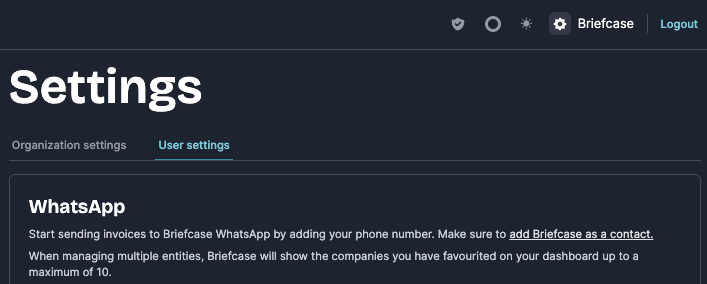
If the QR code doesn't work, save +44 7380 878620 as a contact instead.
Then send a photo of a receipt or invoice to Briefcase, just like a message to a friend. You can send several photos in one go: see How to upload multiple pictures to Briefcase via WhatsApp.
3. Forward emails
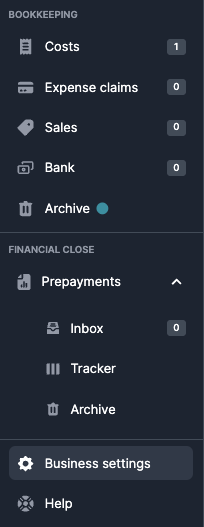
You also get your own Briefcase email address. Forward any email with an invoice or receipt attached and Briefcase picks it up. You'll find the address in Business settings (bottom left) → Preferences → Forwarding emails.
4. Or upload on the web
Drag and drop files, or pick several at once, at app.briefcase.so. To open Briefcase from your phone like an app, add it to your home screen: Setting up Briefcase on mobile.
Add a note. Type a short note with your photo or email, like "client lunch" or "paid personally", and Briefcase uses it to file the document correctly.
Q&A
What do I do if I didn't receive my invite email or verification email?
Check your accountant has invited you to Briefcase, then look in your spam or junk folder. If it still hasn't arrived, email us at support@briefcase.so.
How do I add more people from my business?
Ask your accountant and send them the email addresses of the people you want to add. They'll get the same invite as you. For staff who only need to send in their own expense receipts and mileage, ask for an Expenses only login.
I didn't scan the WhatsApp QR code when I signed up. Where is it?
Go to Settings (top right) → User settings. Scan it with your phone's normal camera and save Briefcase as a contact.
How do I claim back something I paid for myself?
Send it as an expense claim: How does Briefcase handle expense claims? and How do I submit a mileage claim?
Who do I contact if I need help?
Your accountant, or our team at support@briefcase.so.
Safe and trusted
Briefcase is independently audited to ISO/IEC 27001, GDPR compliant and hosted in Europe. Your data is encrypted, and never used to train AI. How Briefcase protects your information