iOS
To start, visit app.briefcase.so in Safari.
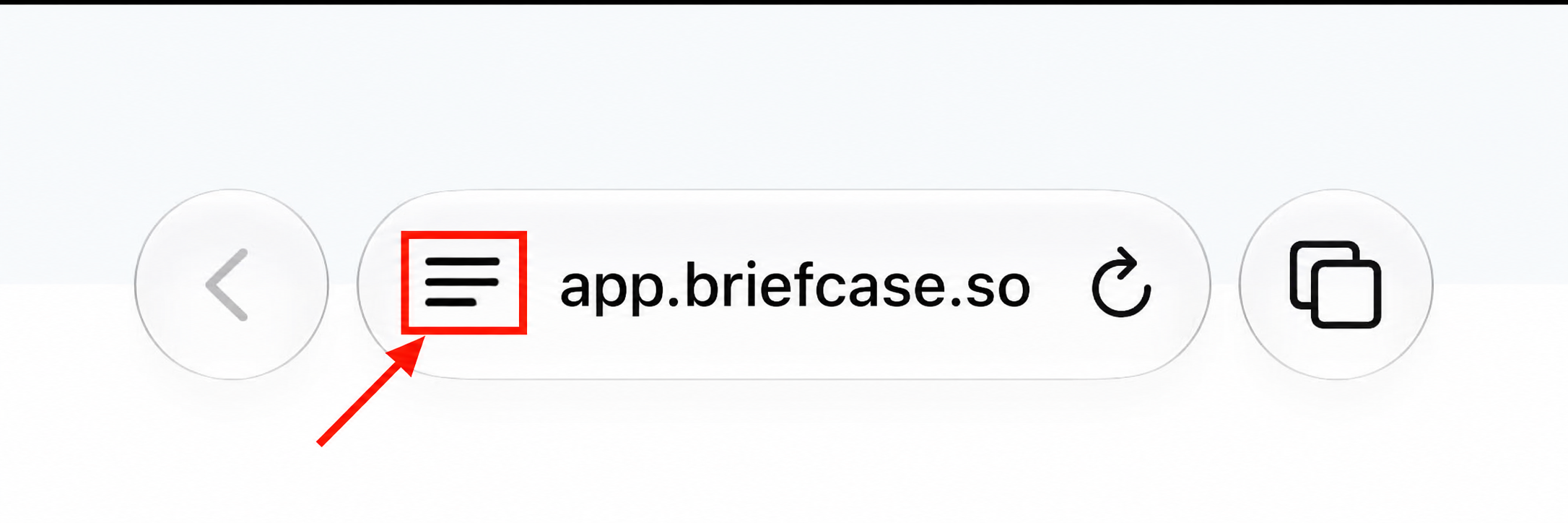
Press the 3 lines in the search bar:
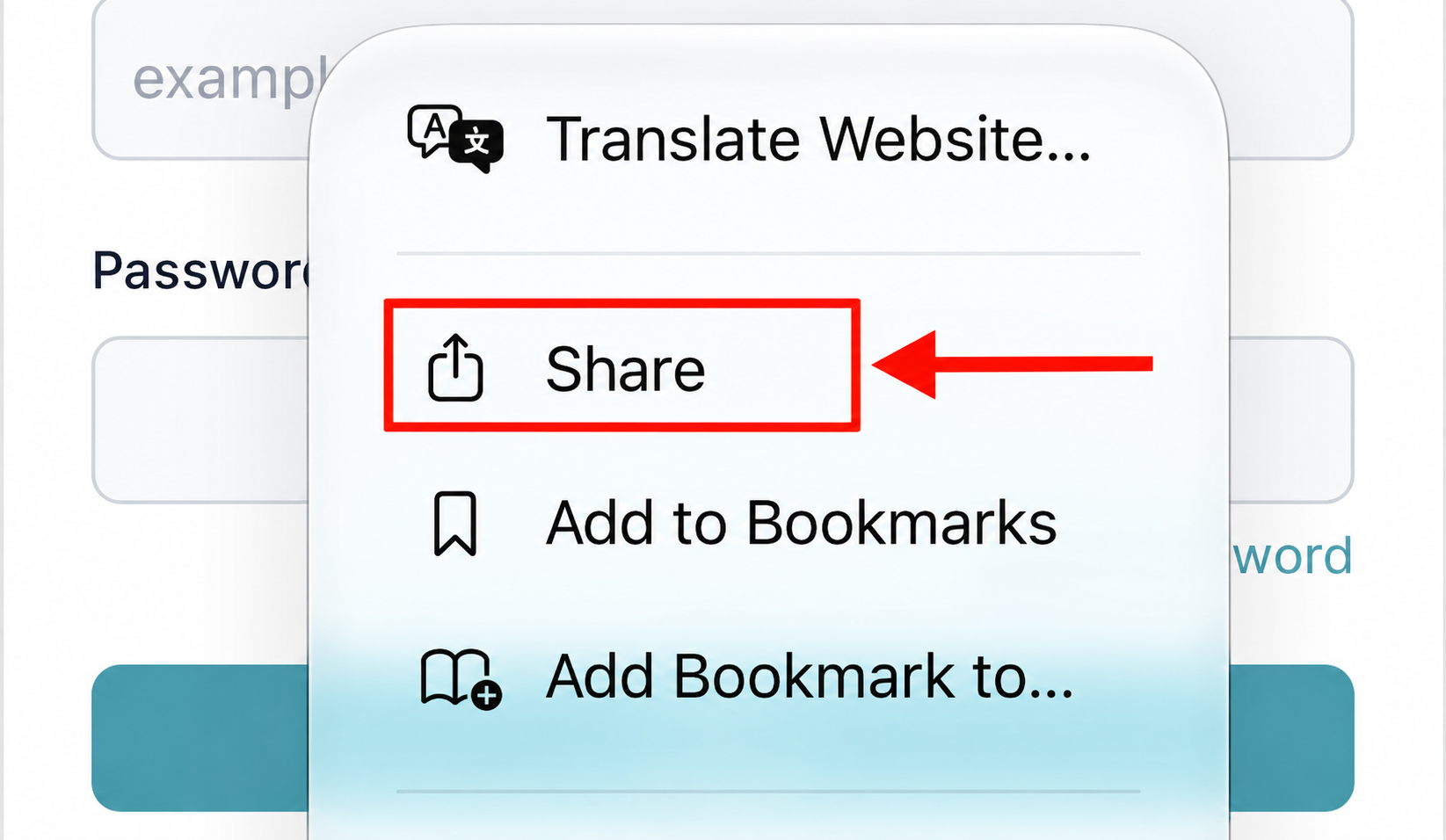
Then press "Share":
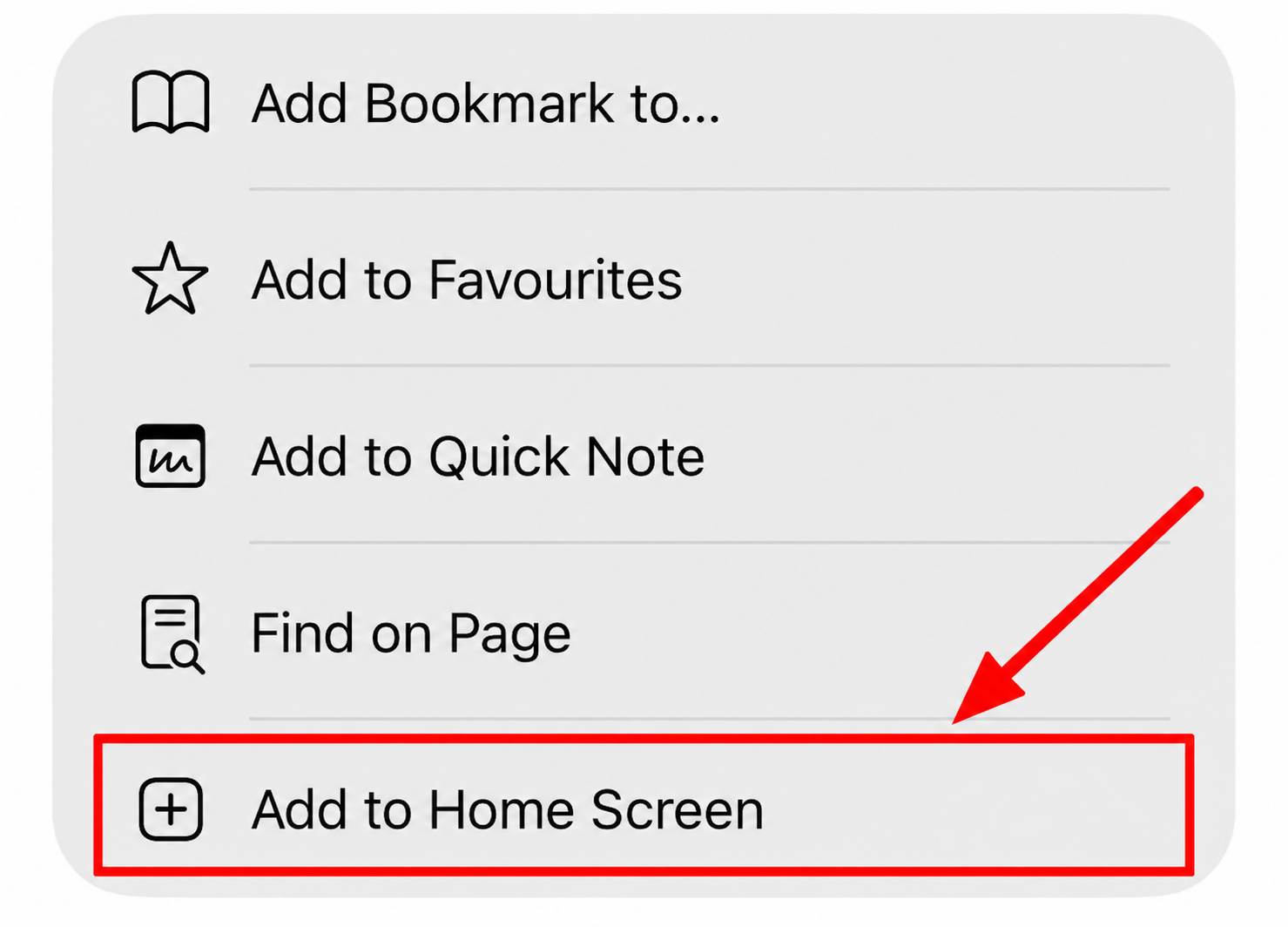
Scroll down and press "Add to Home Screen":
Then press "Add" to confirm:
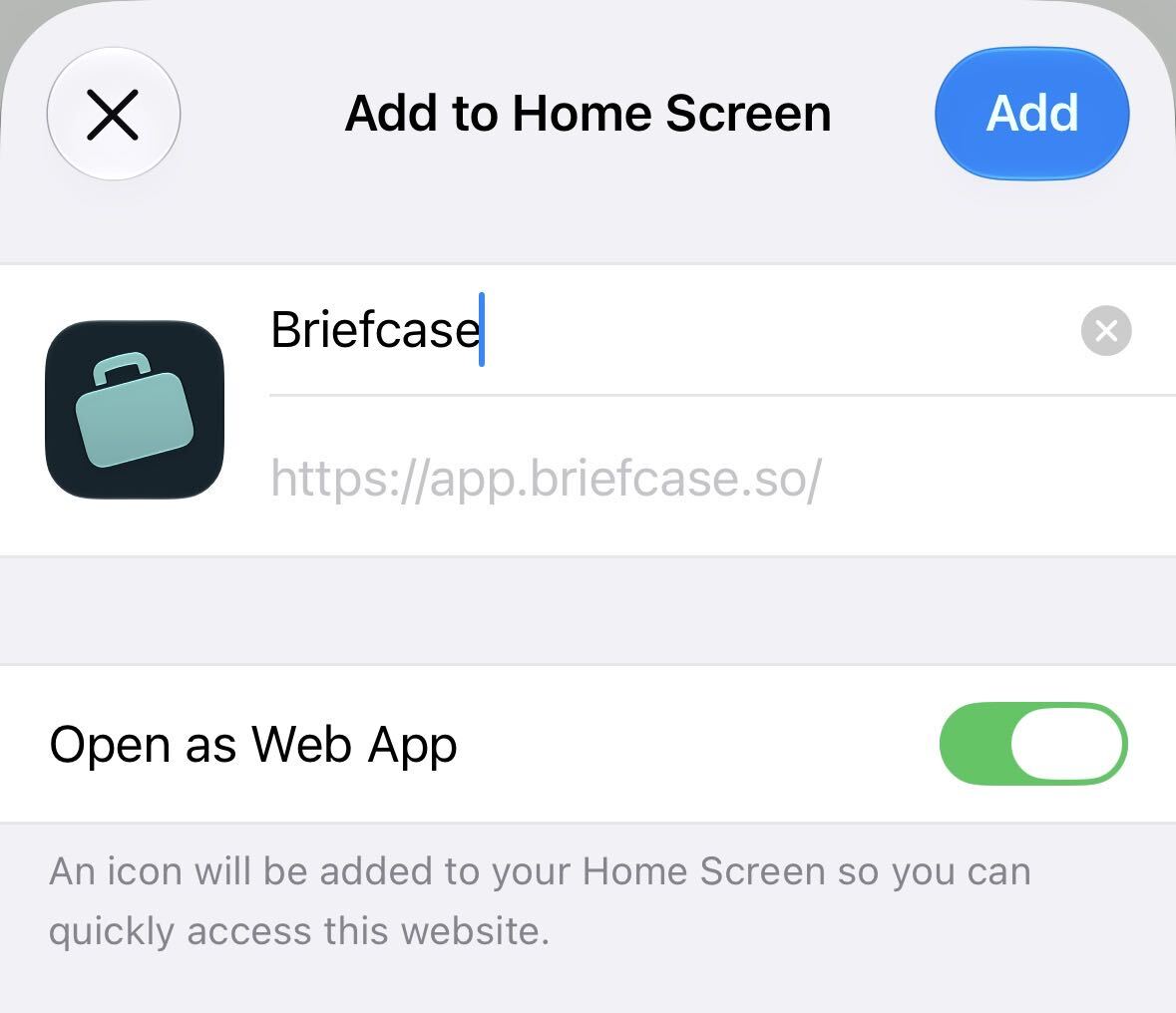
You will now see Briefcase bookmarked on your home screen.
Email the support team with what you were trying to do and we'll get back to you.