01
Briefcase Ledger is live for businesses
Briefcase Ledger, until now available to sole traders and landlords, is open to limited companies and the accountants who support them. It’s a full double-entry general ledger with AI Autopilot built into every workflow: documents are captured and coded, bank lines reconcile, adjustments post as they arrive, and VAT returns go to HMRC from the same ledger. Plans start at £19/month with a 2-week free trial - the full story is in Introducing Briefcase Ledger.
Two more launches ship today for Briefcase Ledger, Xero and QuickBooks clients alike: Payments and Briefcase in Claude and ChatGPT.
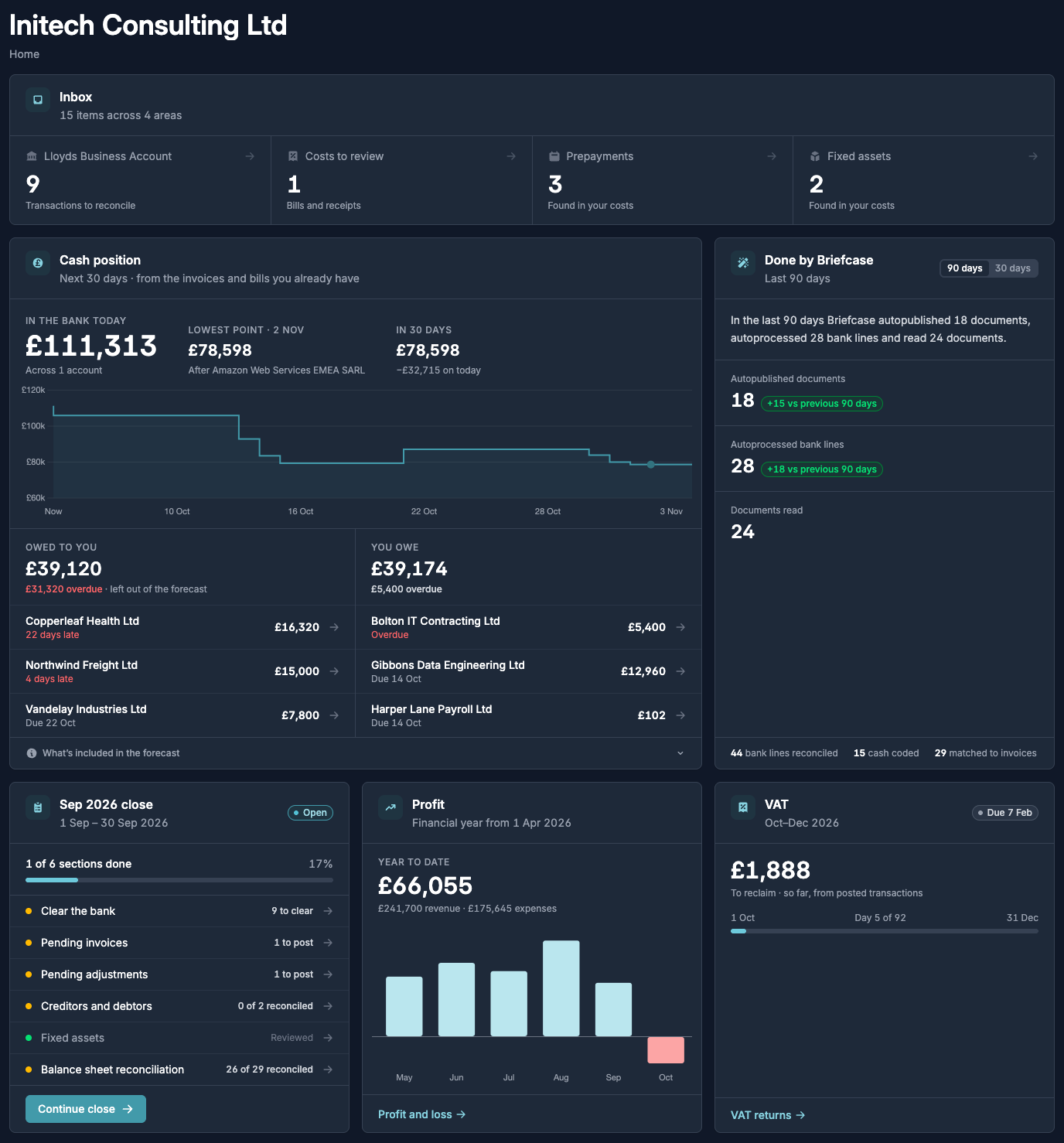
Every business opens on its Home page: what’s waiting in the inbox, cash in the bank with a 30-day forecast, who owes you and who you owe, what Briefcase did on its own, and where the close, profit and VAT stand.
02
Capture, code and invoice
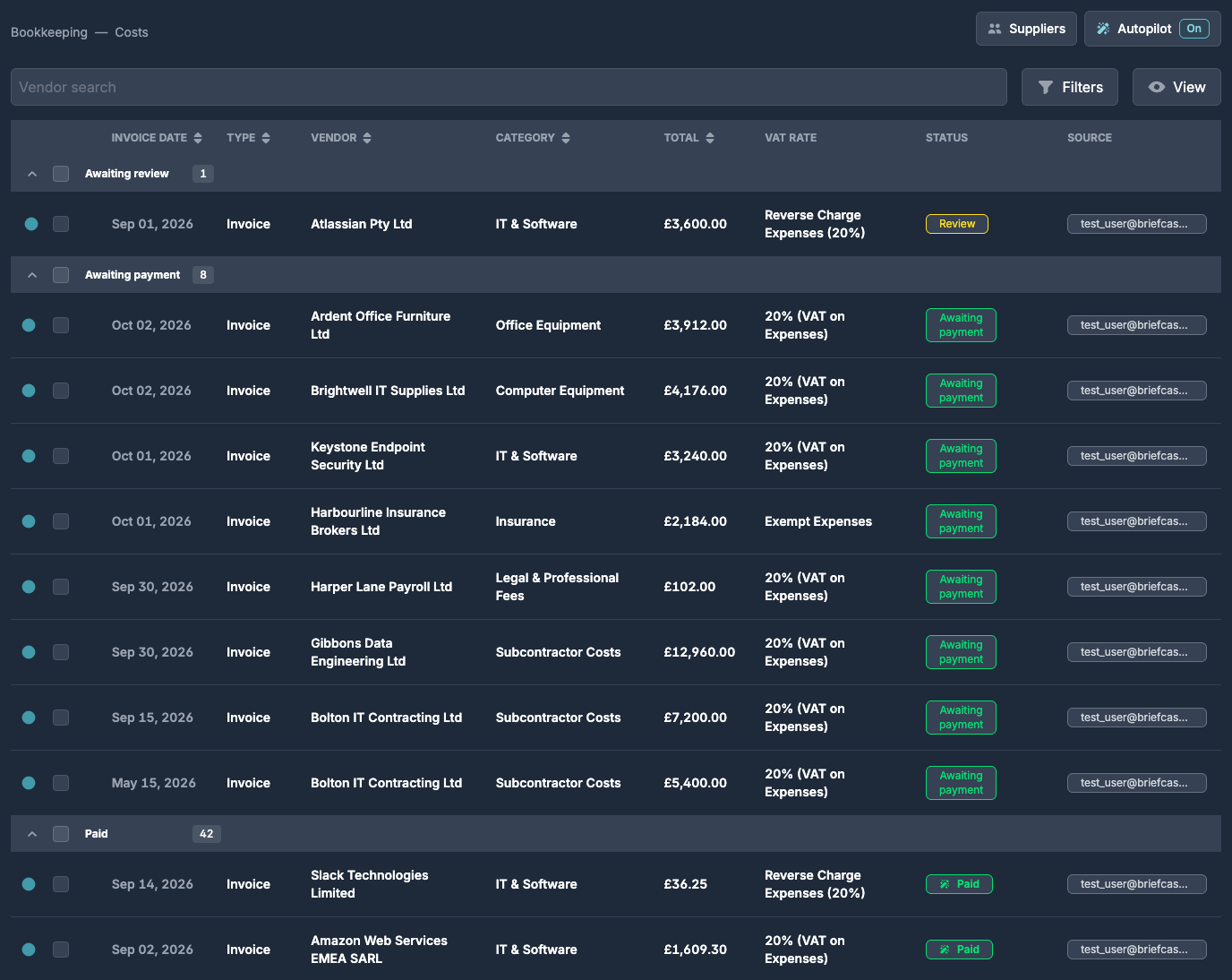
Bills and receipts arrive by email, upload or WhatsApp. Briefcase reads every line, picks the category and VAT rate, and checks the supplier’s VAT number with HMRC. With Autopilot on, documents like ones you’ve approved before publish on their own, everything else waits for review, and AI memories pick up your conventions as you correct it.
On the sales side, raise invoices from the Sales inbox, email them to the customer, and Briefcase reconciles the receipt when it lands in the bank.
03
Bank feeds and reconciliation
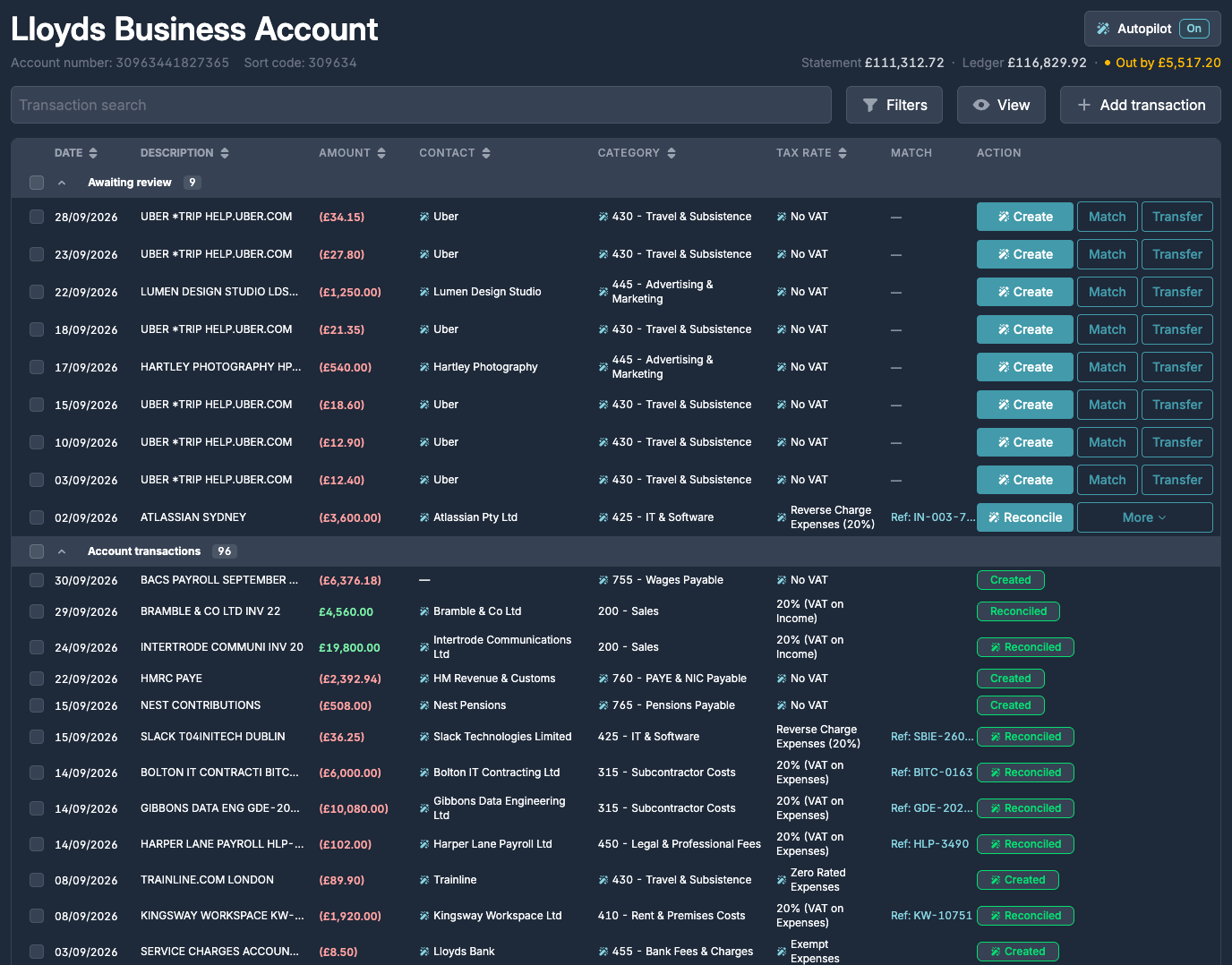
Connect a bank through open banking - over 80 banks, plus Stripe - or upload statements. Publishing an invoice matches it to its bank line at the same time, so reconciliation isn’t a second job in another tool.
Lines with no paperwork, like card spend and bank charges, are cash coded by AI with the contact, category and VAT rate filled in. Partial payments, payments on account and refunds are all handled, and the aged debtors and creditors reports update as you go.
04
Paperwork requests
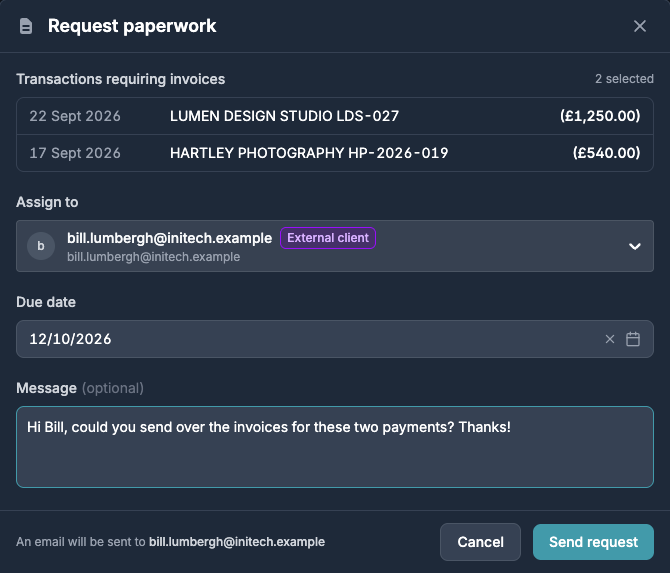
Select the bank lines missing an invoice, choose who owes it and a due date, and Briefcase emails the request. When they reply with the files attached, Briefcase reads the reply, matches each document to its transaction, ticks the item off and closes the task - with a full audit trail. Missing bank statements are requested the same way.
05
Close in real time
Briefcase Ledger spots month-end adjustments as documents arrive. An annual insurance bill becomes a prepayment with its schedule drafted, a laptop becomes a fixed asset with depreciation set, and when a recurring supplier’s invoice doesn’t turn up, the accrual is proposed for you and reversed when it does.
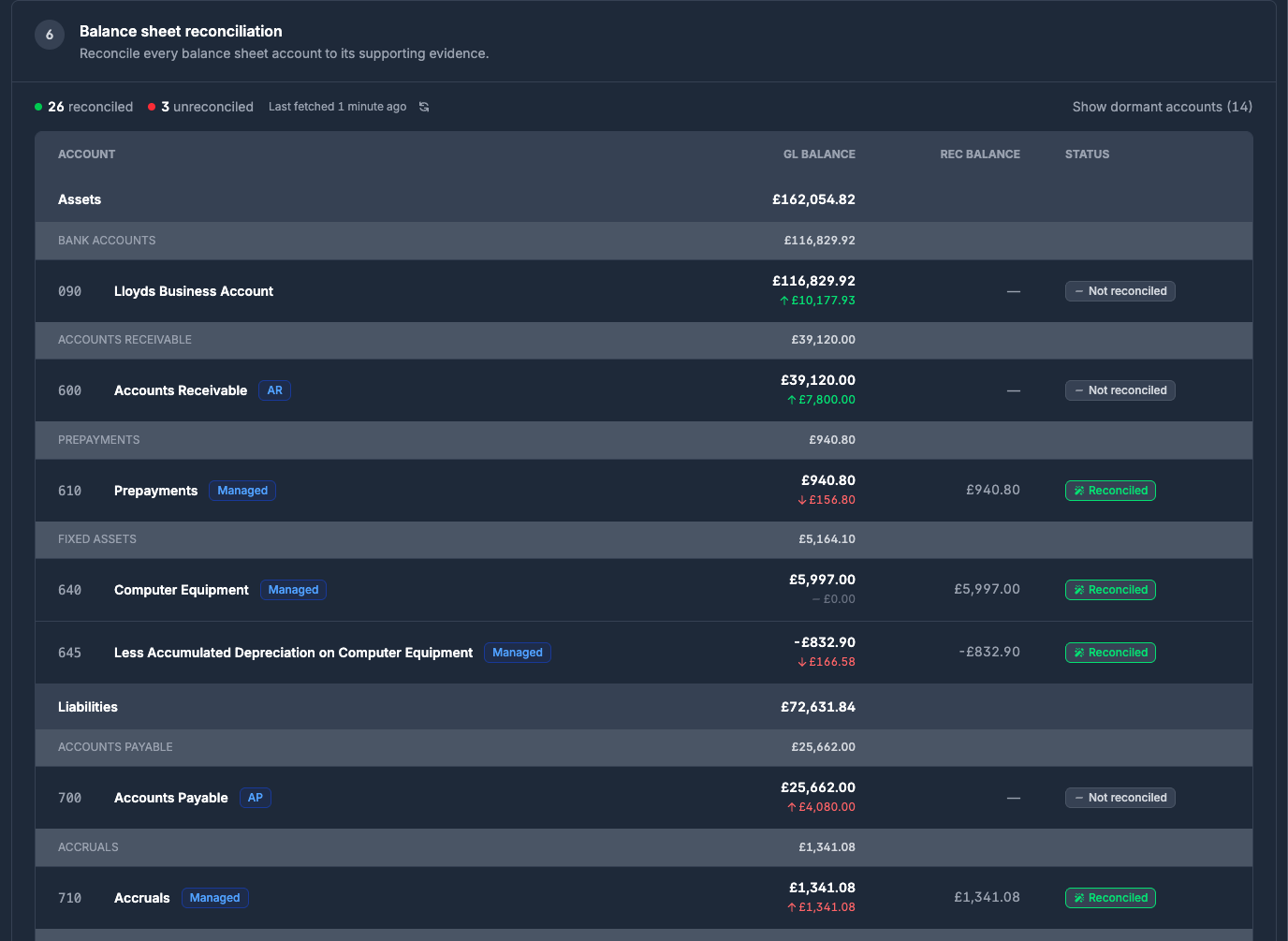
Working papers open with those accounts already reconciled to their schedules and marked Managed, so the close starts part done rather than from a blank spreadsheet.
06
Reports and VAT
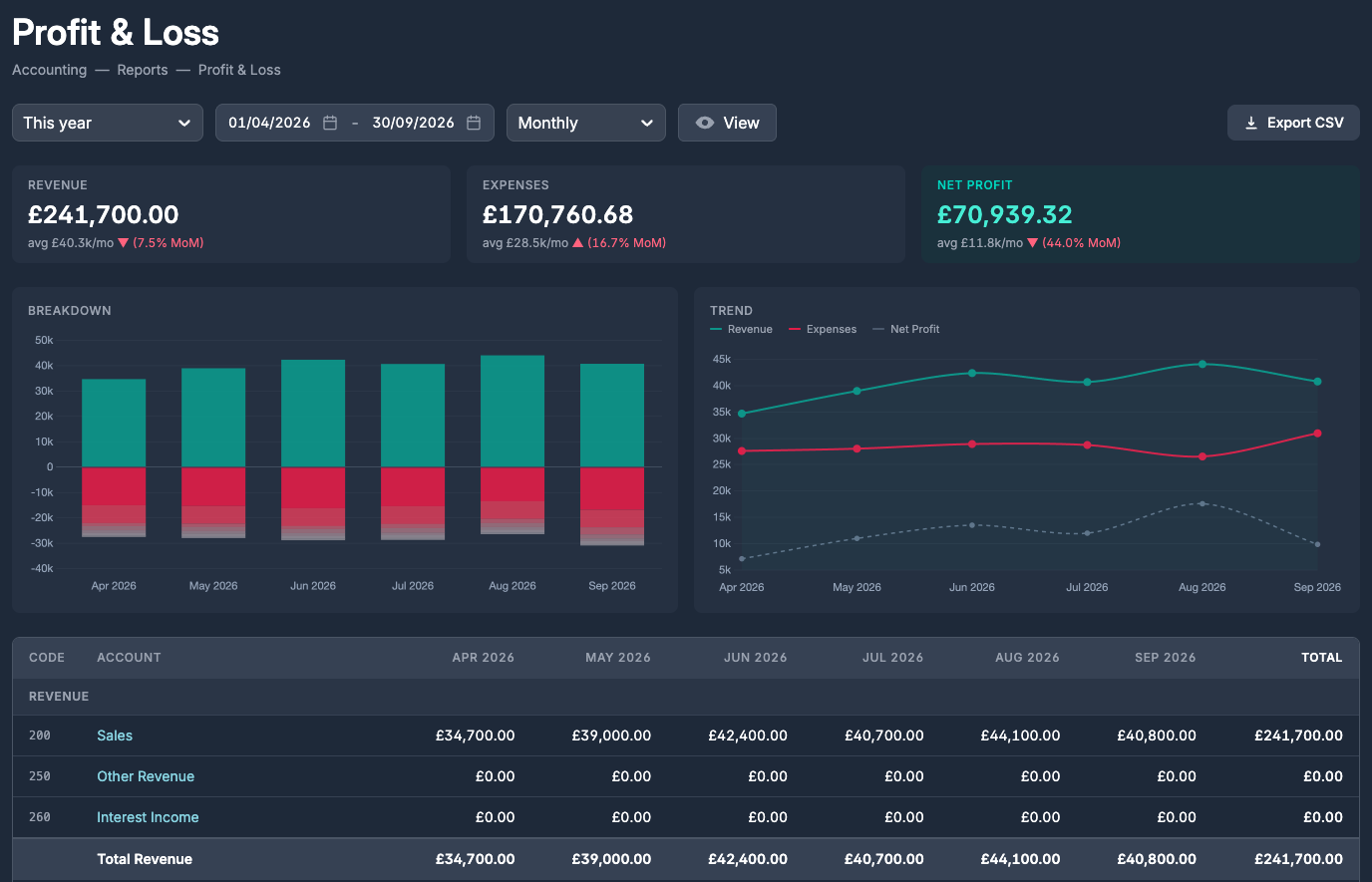
Profit and loss, balance sheet, trial balance, aged debtors and creditors, and the journal report all read straight from the ledger, by month or for any date range. VAT returns are built from the same ledger and filed to HMRC in a click.
07
Moving to Briefcase Ledger
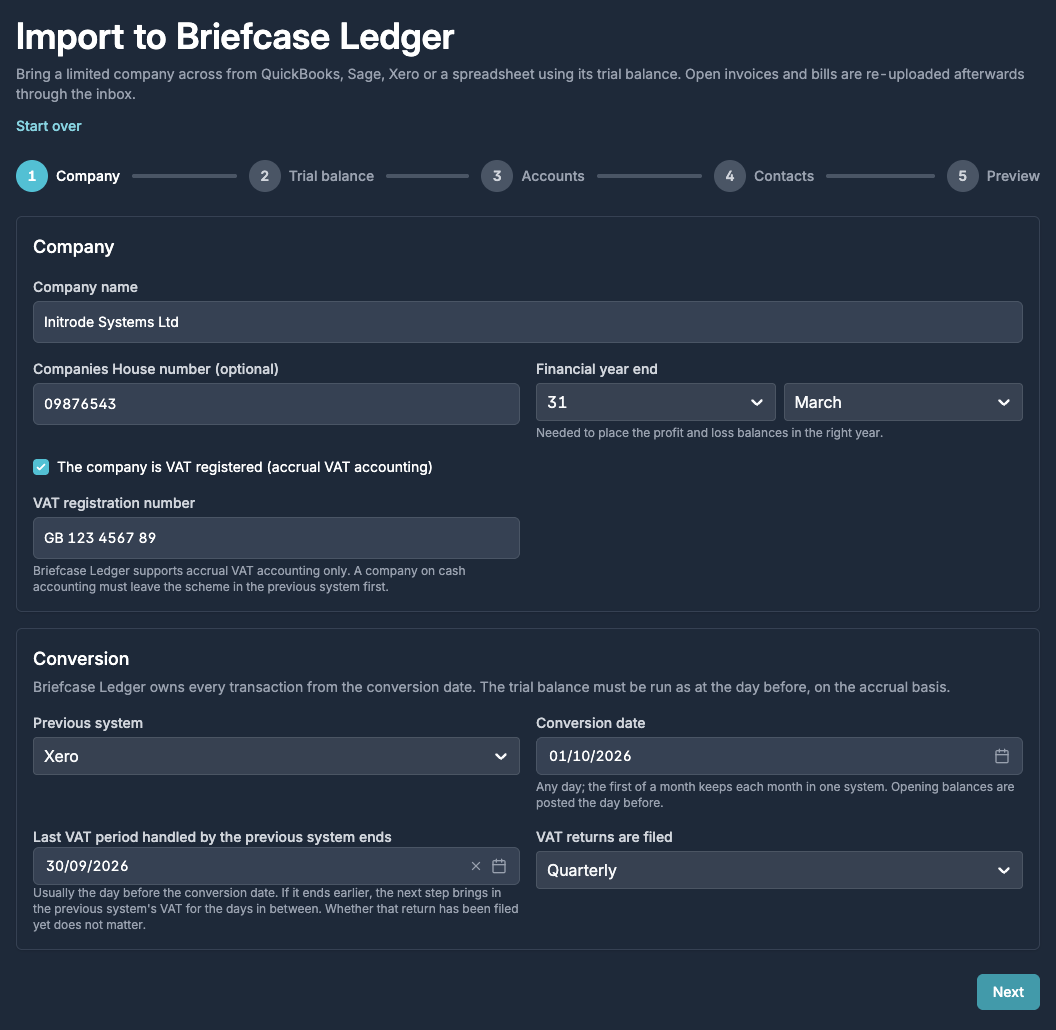
Bring a Xero business across with its chart of accounts, full journal history, opening balances and open invoices. Coming from QuickBooks, Sage, FreeAgent or a spreadsheet instead? Import the trial balance - Briefcase maps the accounts and contacts and shows a preview before anything posts.
Fixed assets, prepayments, deferred income and accruals each have a CSV bulk import, so the schedules behind the close come across too.
08
Pay suppliers and employees
Payments work in Briefcase Ledger, Xero and QuickBooks. Select one or more published bills from the same supplier in the Costs inbox and click Pay - or Pay via Briefcase on a Xero or QuickBooks bill. Briefcase builds a single UK Faster Payment with an editable reference, and you authorise it with your bank through open banking. Expense and mileage claims are paid to the employee the same way.
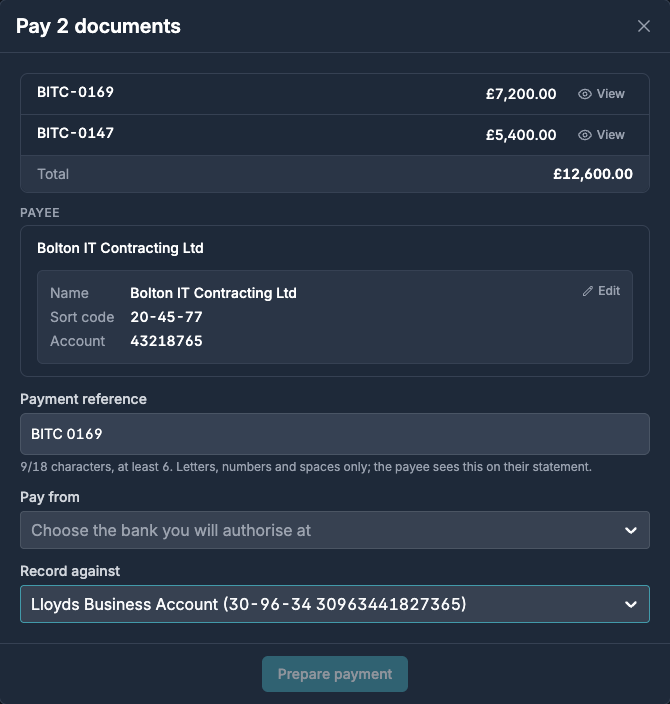
Bank details live on the contact. Briefcase reads them from the supplier’s invoice or imports them from the Xero contact, and keeps them as a proposal until someone confirms them on the first payment. If a later invoice shows different details, paying that supplier is blocked until someone keeps or replaces them, so a changed account number can’t slip through.
Don’t hold the bank login? Click Request authorisation and send it to whoever does - they get a task and an email to authorise it at their bank.
09
Payment approvals
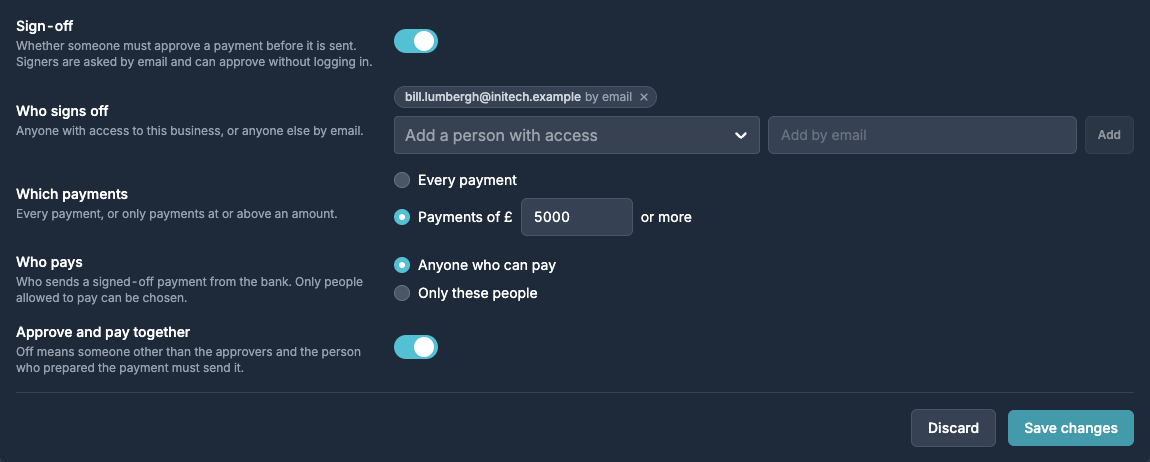
In each business’s Settings → Approvals, choose who signs off payments - anyone with access, or anyone else by email - and whether every payment needs sign-off or only those above an amount. Approvers decide from the email or their phone without logging in, and with Approve and pay on, an approver can sign off and send the payment in one step.
10
Recorded where your books live
When the bank accepts the payment, Briefcase records it for you, and reverses the recording if the payment later fails:
- Briefcase Ledger - the payment posts against the invoice and the bank account, and the aged creditors report updates.
- Xero - a Payment against the bill. Bills still awaiting approval in Xero can be approved and paid in one go with Approve in Xero and pay.
- QuickBooks - a Bill Payment against the bill.
Every business gets 3 free payments each billing quarter. After that, each payment is £0.50, added to your next invoice. Payments made during a free trial carry no fee.
11
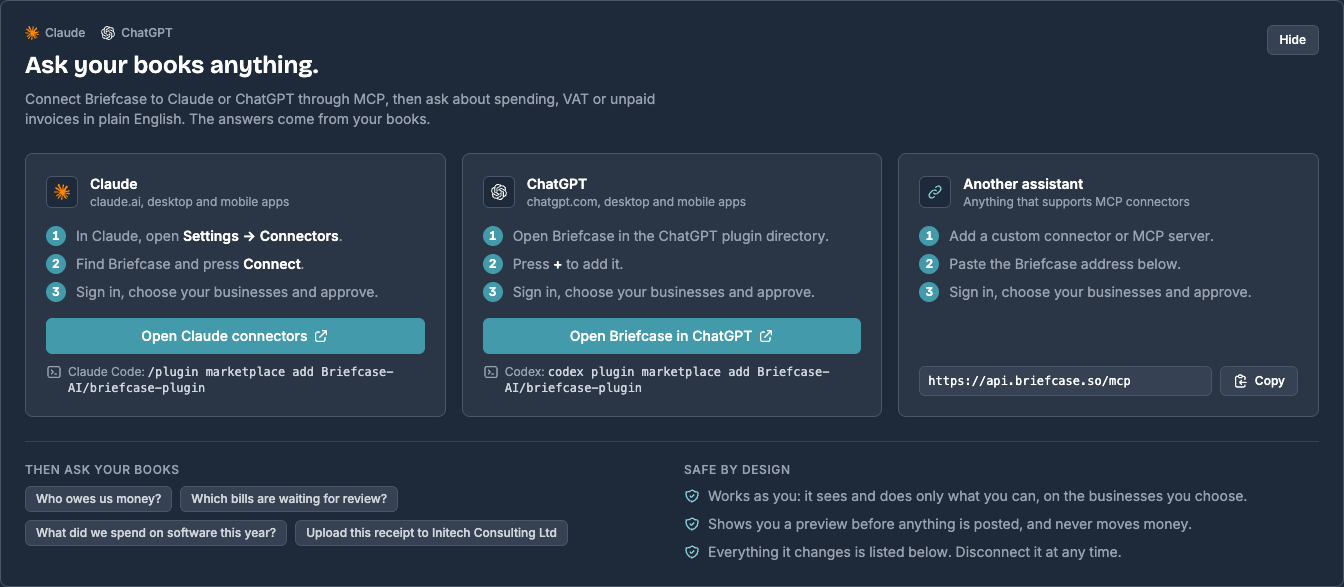
Ask your books anything
Briefcase is now in Claude’s connector directory and ChatGPT’s plugin directory, with 50 tools for working in Briefcase. Ask which bills are waiting for review, why a transaction was coded the way it was, or what’s left to post for September. Hand over a receipt with instructions, group receipts into an expense claim, or publish what’s ready - every answer comes from your books.
Documents, transactions, expense claims, bank statements, month-end schedules and help articles work for Xero, QuickBooks and Briefcase Ledger clients. Briefcase Ledger clients get 11 more tools for reports, journals, sales invoices and bank feed lines - enough to raise an invoice, post a manual journal or draft management accounts without leaving the chat.
12
Connect Claude or ChatGPT
In Claude, open Settings → Connectors, find Briefcase and press Connect. In ChatGPT, add Briefcase from the plugin directory. Sign in, choose your businesses and approve. In Claude Code, install the Briefcase plugin for ready-made workflows such as transaction review, financial close review and management accounts. Any other MCP client can connect to https://api.briefcase.so/mcp.
The assistant works as you, on the businesses you choose. Publishing, archiving, raising invoices and posting journals always show a preview first and wait for your go-ahead, and the assistant never moves money. Workspace admins can switch assistants off or allow reads only, and every change is logged under Settings → AI assistants.