01
Expense & mileage claims in Briefcase Ledger
Expense and mileage claims now work end-to-end in Briefcase Ledger. Employees submit receipts or journeys as usual, and Briefcase groups them into one claim per person per month. To finish a review, click Approve - or Approve & pay to pay straight from a bank account. Approval posts expenses to their categories and the amount owed to the employee to Accounts payable.
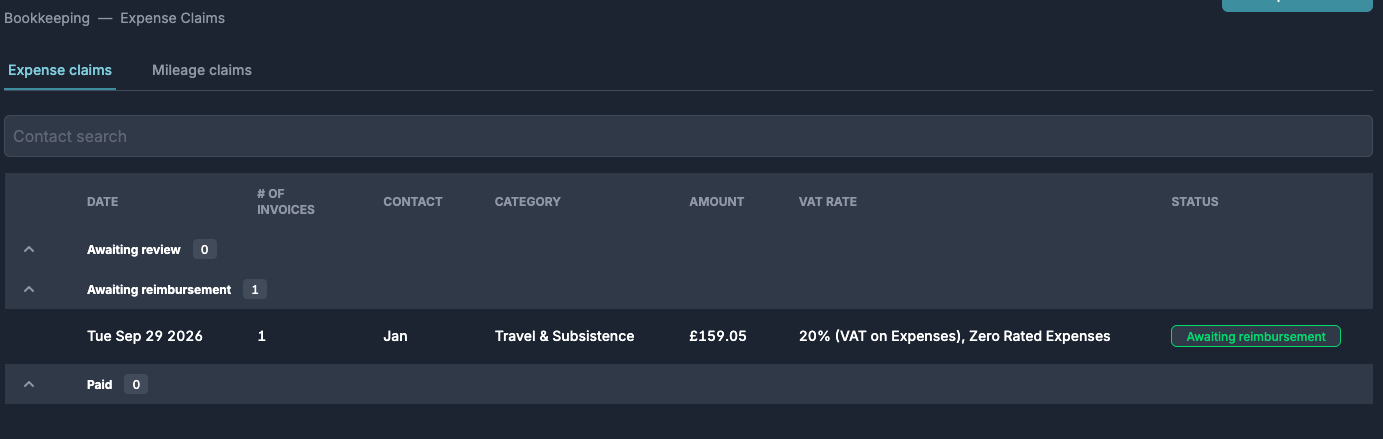
Approved claims sit in Awaiting reimbursement until the payment leaves the bank. Briefcase matches it against the claim in the bank feed - or record it manually with Mark as paid.
02
Bulk import accruals
You can now bulk import accrued expenses from a CSV - the same flow you already use for fixed assets, prepayments, and deferred income. Onboarding a client’s full close is now a four-CSV job.
Head to Accrued Expenses, click the arrow next to Add accrued expense, and choose Bulk import. Download the template, fill in up to 500 rows - description, amount, date, expense account code, liability account code - and upload. Briefcase validates every row against the client’s chart of accounts and shows exactly what will be imported before anything is created.
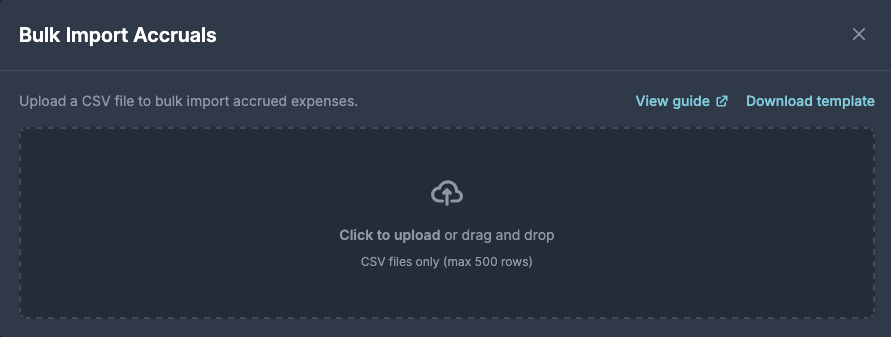
Imported accruals land in Awaiting review, ready to post to the ledger. If an accrual was already posted outside Briefcase, mark it as such in the CSV - it comes across for tracking only, with no duplicate journal.