Make your invoices and invoice emails look like they come from your business. Open Business settings → Invoicing and scroll to Branding. The live preview on the right updates as you make changes.
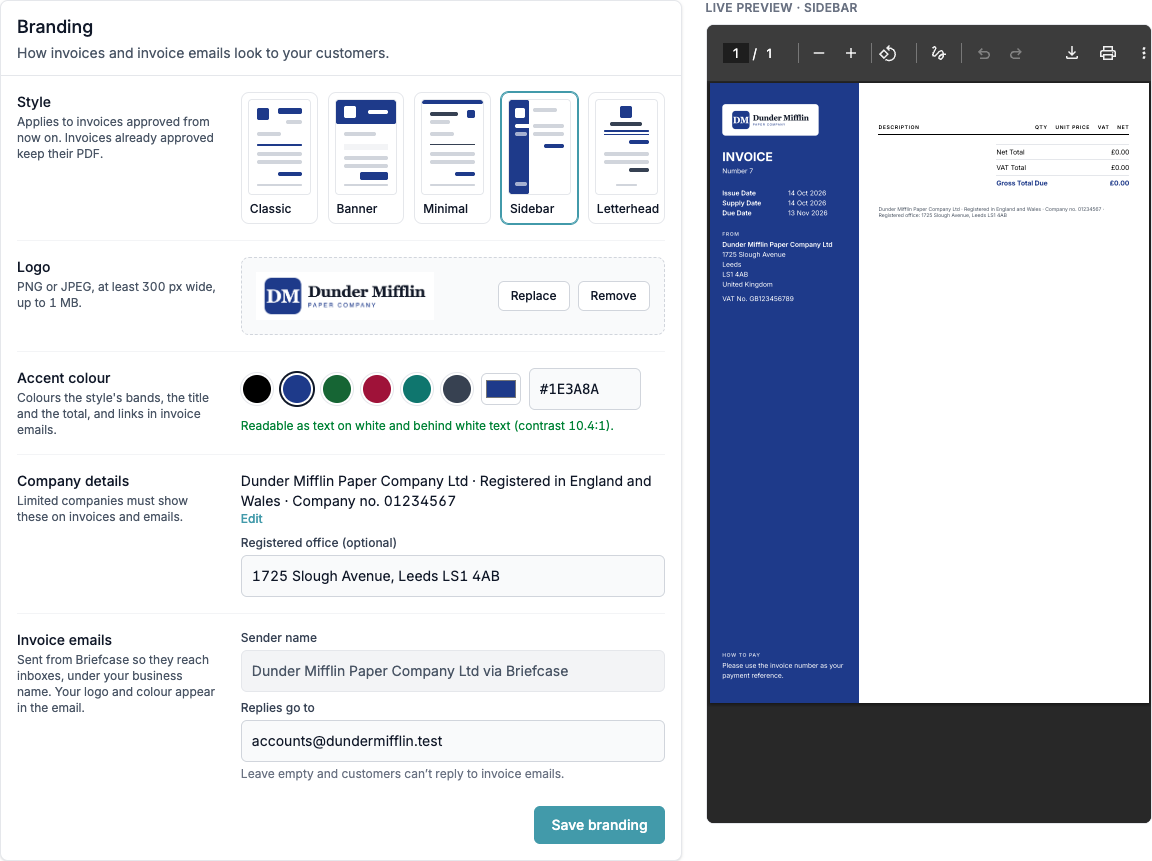
- Style: pick one of five layouts: Classic (the default), Banner, Minimal, Sidebar or Letterhead.
- Logo: upload a PNG or JPEG at least 300 px wide and up to 1 MB. Without a logo, the business name is printed instead.
- Accent colour: choose a preset or enter any hex colour. It colours the style's bands, the title and the total, and links in invoice emails. Briefcase warns you if the colour would be hard to read.
- Company details: limited companies must show their name, place of registration and company number. Briefcase adds them for you from the Tax tab (press Edit to change them). You can also add your registered office.
- Invoice emails: invoices are emailed as "Your Business via Briefcase", with your logo and colour. Enter an address under Replies go to so customer replies reach you. If you leave it empty, customers can't reply.
Press Save branding.
Branding applies to invoices approved from now on. Invoices that are already approved keep their PDF.