01
Raise sales invoices in Briefcase Ledger
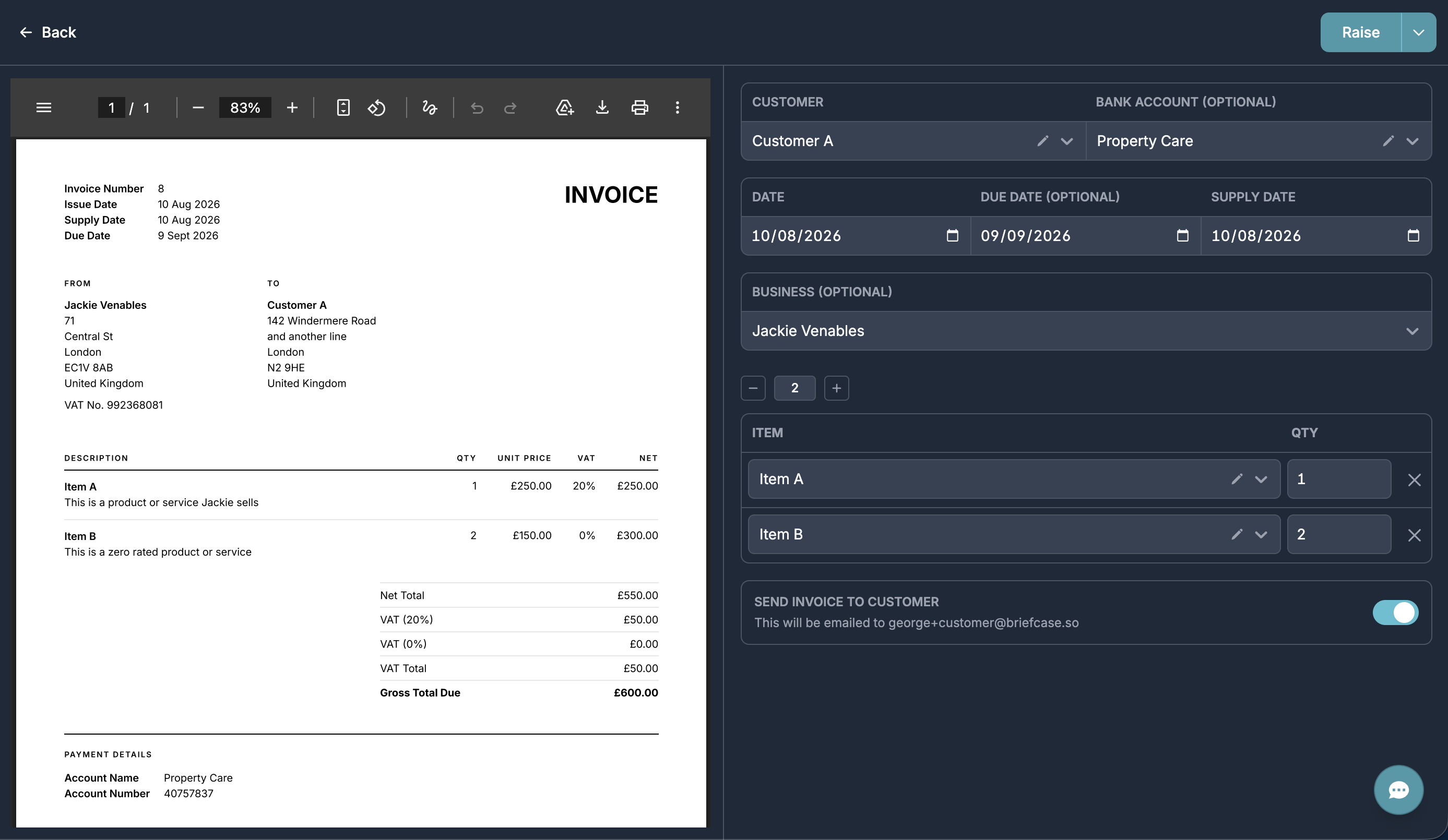
You can now create and send sales invoices from the Sales inbox - just click Raise.
Pick the customer and the products or services you’re invoicing, both managed from their tabs under Bookkeeping. Choose which business is issuing the invoice and which bank account to show for payment.
If the invoice is already paid, mark it as paid or reconcile it against an existing bank transaction. Otherwise Briefcase keeps watching for a match and reconciles it for you.
02
Recording payment on account
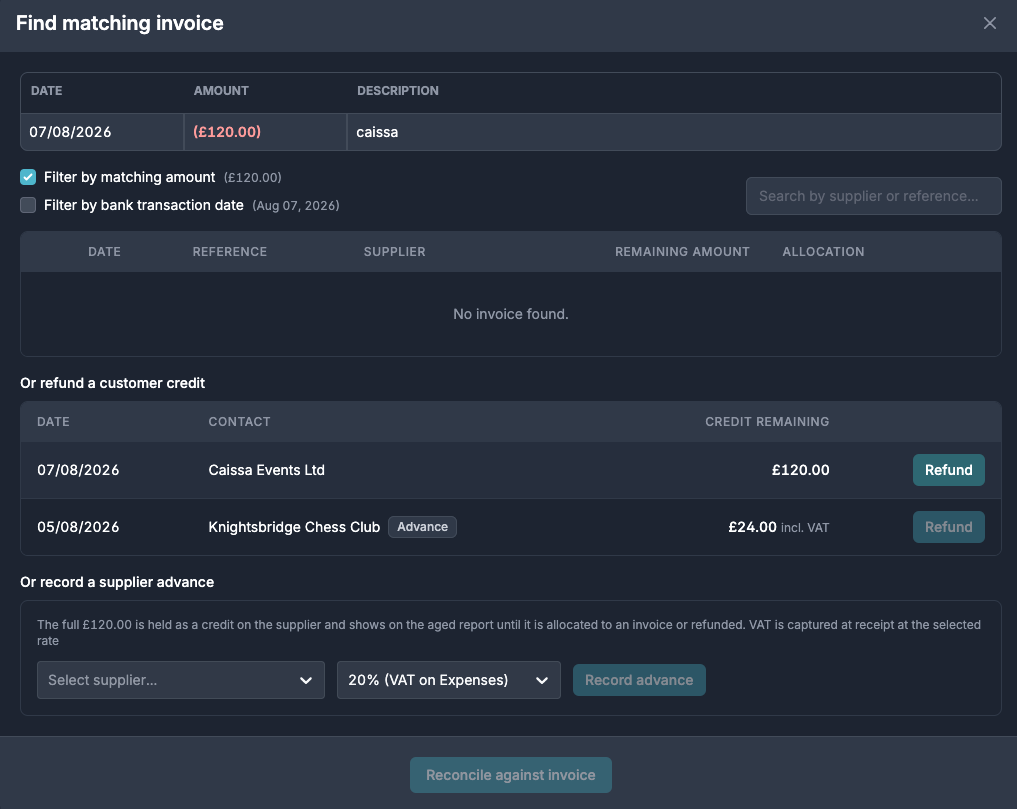
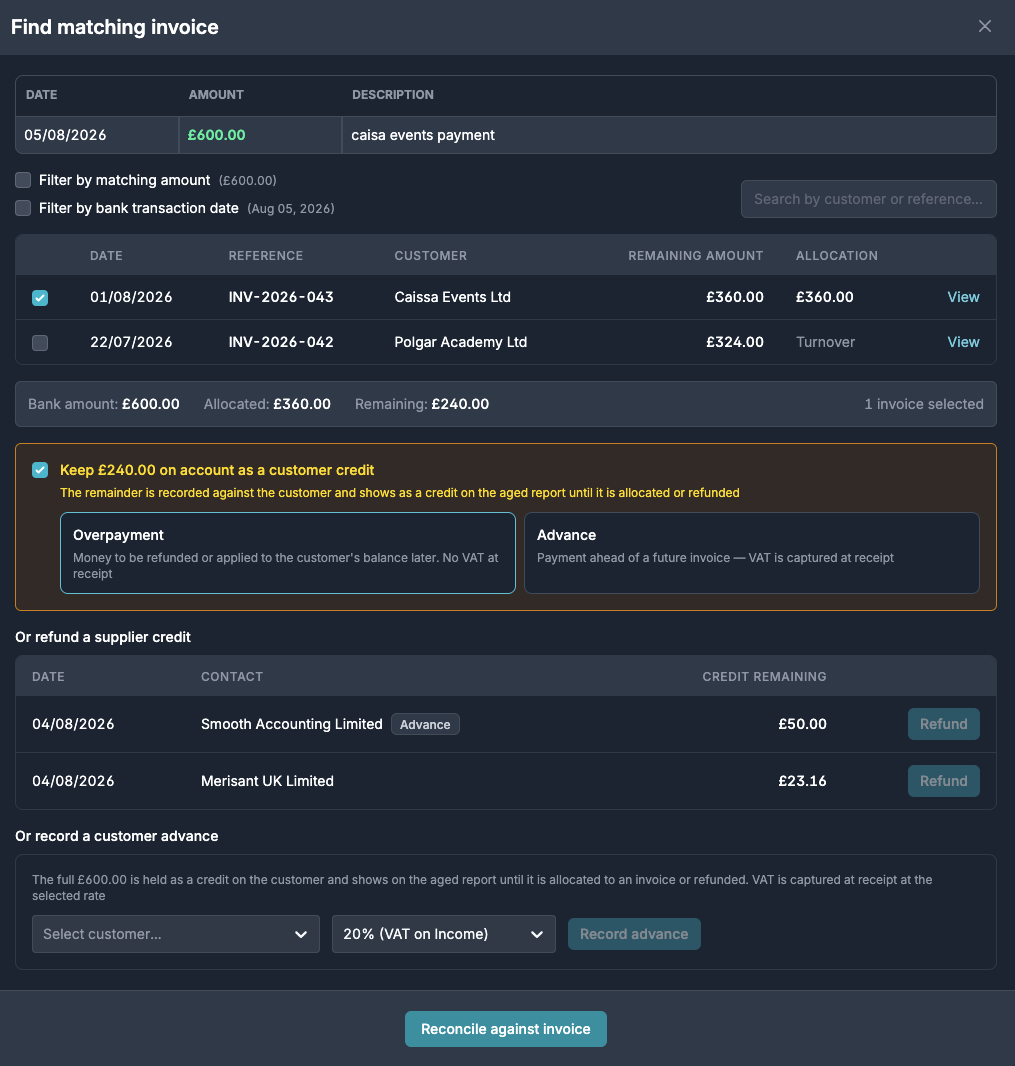
Briefcase Ledger now handles money that doesn’t line up one-to-one with an invoice. When a bank receipt is larger than the invoices it’s reconciled against, keep the remainder on account as a customer credit - either an overpayment (no VAT at receipt) or an advance (VAT captured at receipt). The same applies to supplier payments, and a bank transaction with no invoice at all can be recorded entirely as an advance.
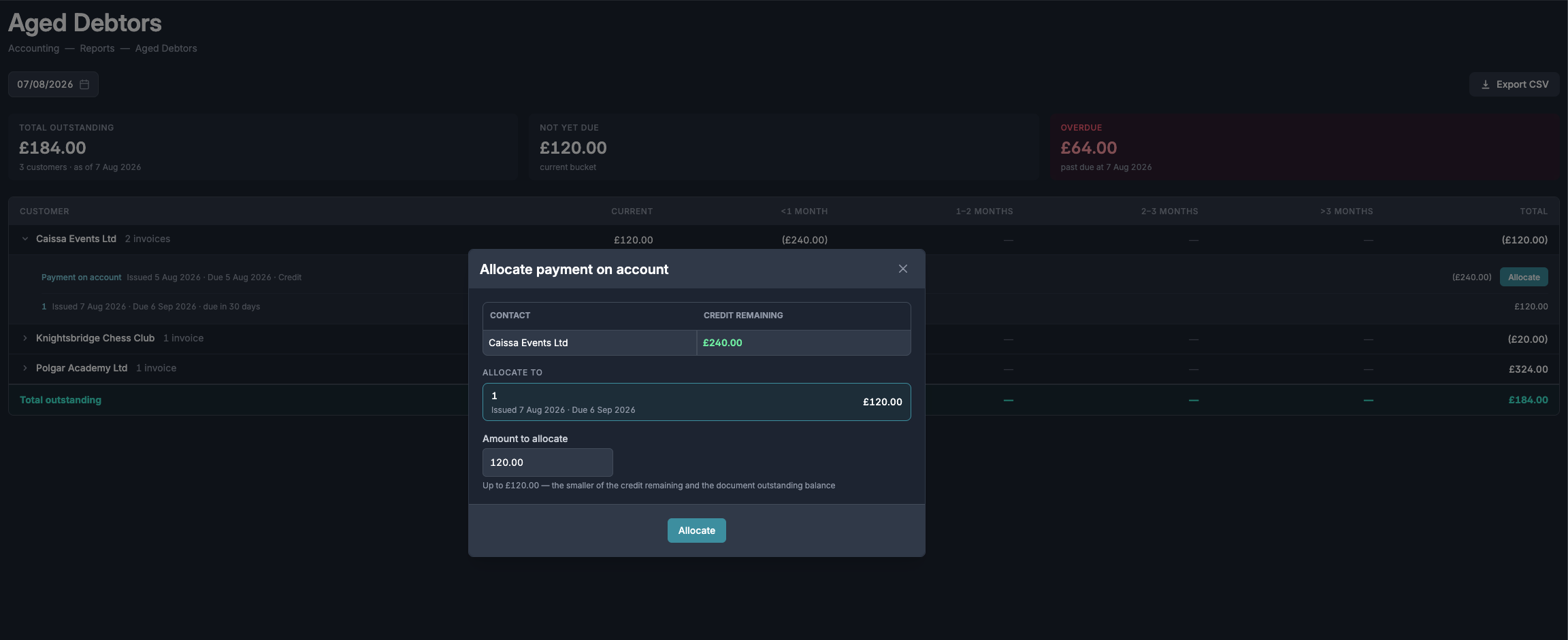
Credits sit against the customer or supplier on the aged reports, reducing their balance until they’re used. Click Allocate to apply a credit to any unsettled invoice for that contact, choosing how much to use.
If the money goes back out instead, reconcile the outgoing bank transaction as a refund against the open credit.