All Updates
Update
Prepayments for QuickBooks
Automated prepayment handling for QuickBooks Online users.
Feature overview
Briefcase has launched automated prepayment handling for QuickBooks Online users. The system detects prepayments from uploaded invoices and manages their accounting lifecycle.
How it works
The feature operates through six key steps:
- Users upload invoices via existing channels (web upload, WhatsApp, email forwarding)
- Briefcase's AI automatically identifies prepayment transactions
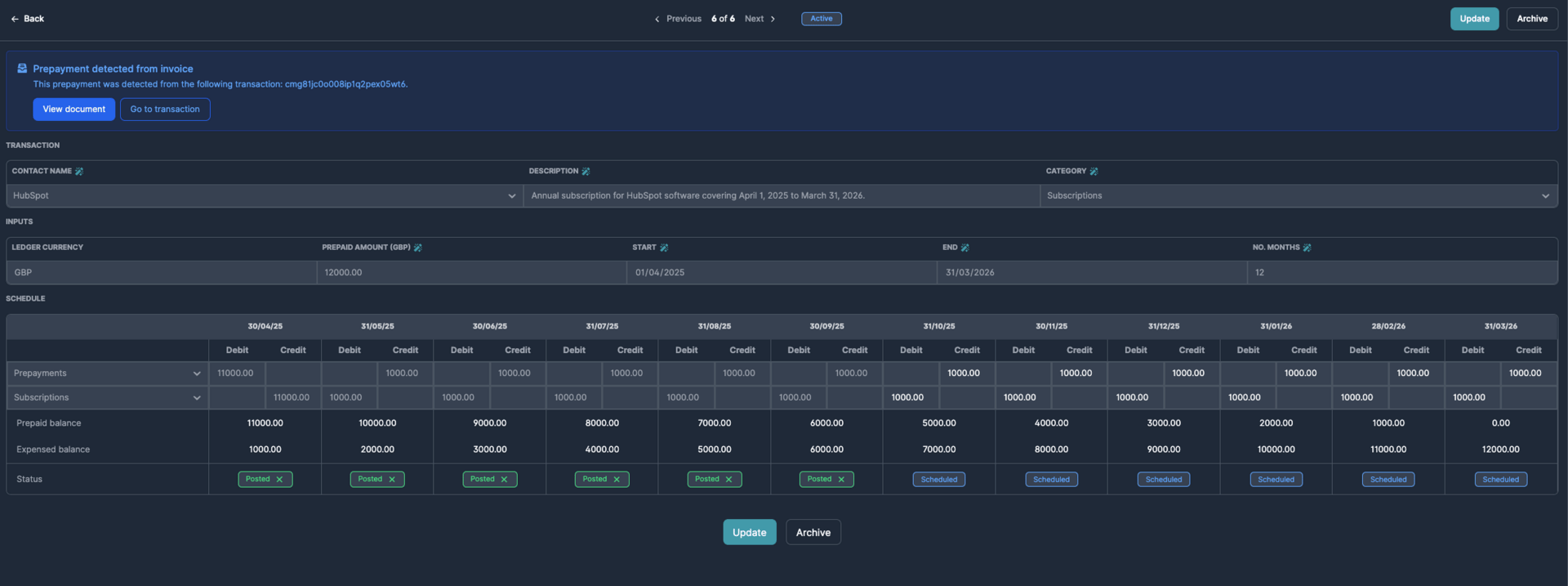
- The system determines whether prepayments are recurring or one-time and establishes appropriate schedules
- Prepayment journals automatically sync to QuickBooks Online accounts
- Users can reverse or adjust prepayment periods as needed
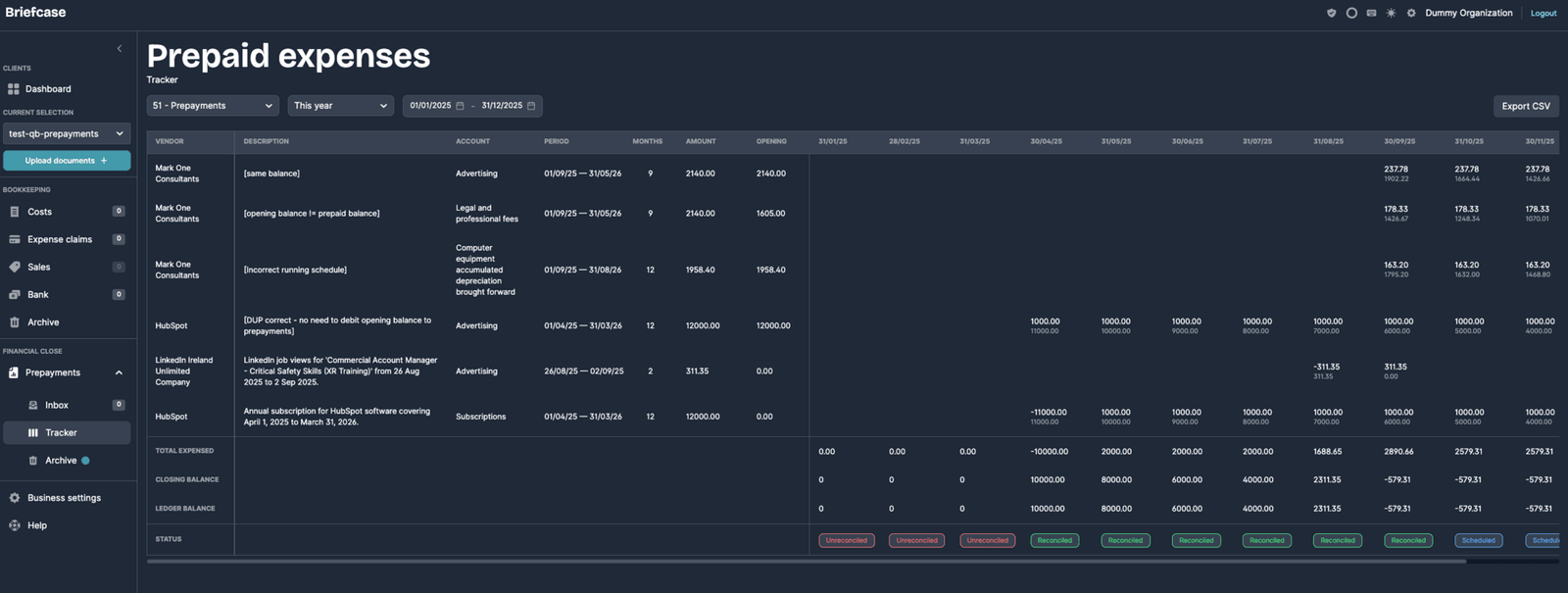
- A dedicated tracking screen displays all prepayment activity for reconciliation against QB ledgers