All Updates
Update
Invite clients via email
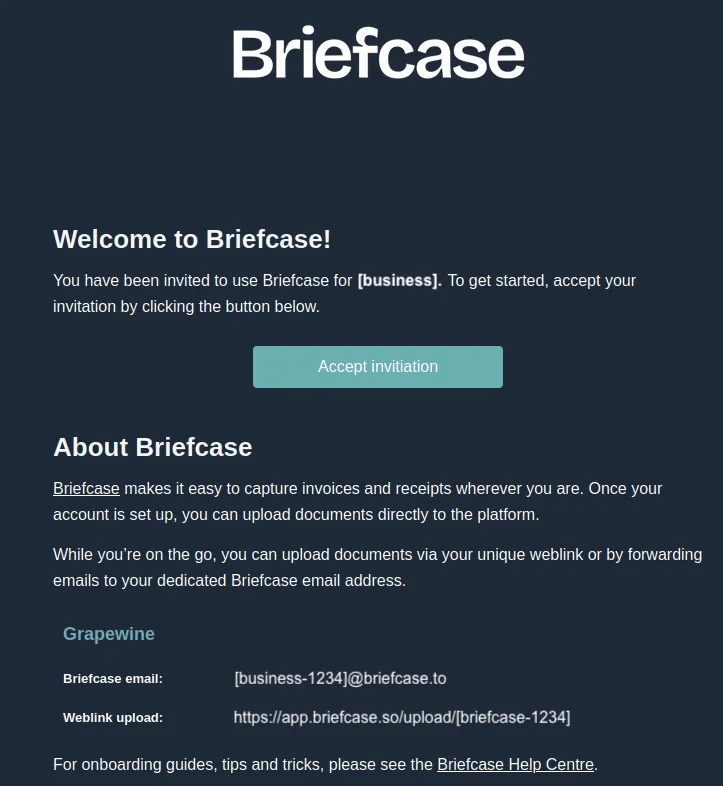
Send email invites to clients directly from Briefcase with their forwarding email address and upload link.
Invite clients via email
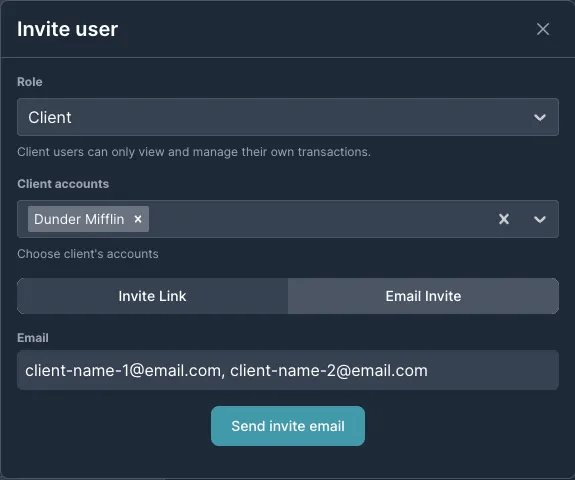
Users can now send email invites to clients directly from Briefcase.
How it works
- Navigate to Organisation Settings (gear icon, top right)
- Click Invite User, select the Client role, choose relevant client accounts
- Select Email Invite, enter client email addresses (use commas for multiple)
- Click Send Invite Email — clients receive invitations containing setup instructions, forwarding email addresses, and upload links. Invites expire after 7 days.
Other recent improvements
- Smarter multi-line split — VAT-based transaction splits now operate with greater accuracy and consistency
- Improved search — The cost inbox retains search results when navigating between individual transactions